grazie Marco, mi uscirebbe questo:
You are NOT using quad9....
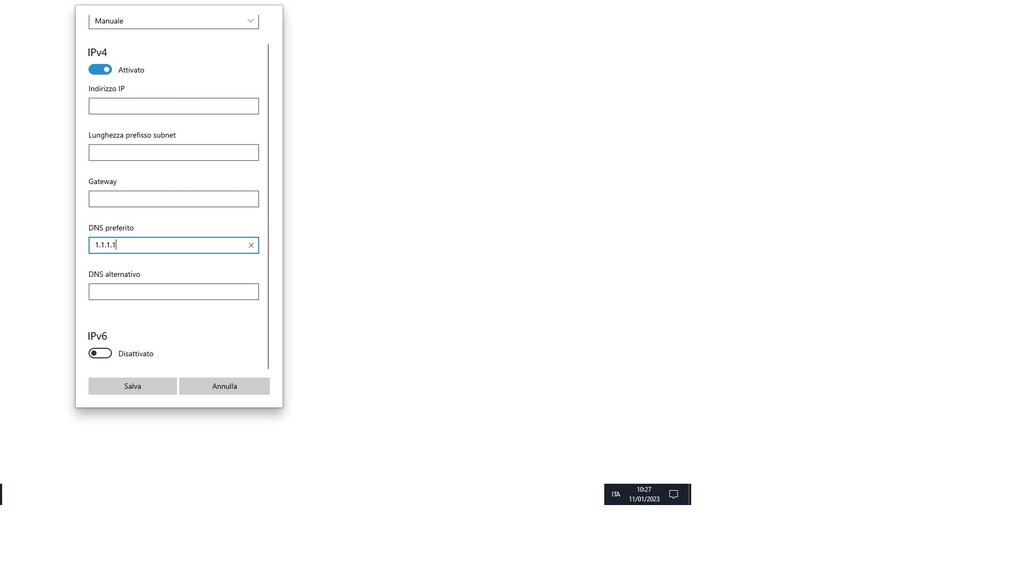
io seguendo la guida del sito che mi avete segnalato avrei messo alla fine nelle impostazioni dns del mio win 10:
[https://github.com/dnscrypt/dnscrypt-proxy/wiki/Installation-Windows](https://)
"It's time to change your system DNS settings.
Open the network settings, and in the TCP/IP panel, if it's automatically, change it to manually, if it's manually, remove all existing DNS IP addresses (backup first), and then set it to 127.0.0.1.
Furthermore, you will prefer to add a secondary DNS to allow dnscrypt-proxy to use it at startting up to retrieve the initial resolvers. For example the one chosen as DNS fallback inside the dnscrypt-proxy.toml configuration file, '9.9.9.9', or the one you prefer. It's also useful when dnscrypt-proxy is out of service."
ioi avrei proprio messo primary 127.0.0.1 e secondary 9.9.9.9
...cosa caspiterina posso aver sbagliato...?? 🙁
ecco il risultato:
C:>nslookup quad9.com
Server: UnKnown
Address: 127.0.0.1
Risposta da un server non autorevole:
Nome: quad9.com
Addresses: 2620:0:871:9000::77
216.21.3.77
e qui una prova con il dos nella cartella di dnscrypt-proxy:
N:\DESKTOP\PC\Dns\dnscrypt-proxy>dnscrypt-proxy -resolve quad9.com
Resolving [quad9.com] using 127.0.0.1 port 53
Resolver : 162.158.196.43
Canonical name: quad9.com.
IPv4 addresses: 216.21.3.77
IPv6 addresses: 2620:0:871:9000::77
Name servers : ns3.pch.net., anyns.pch.net., ns2.pch.net.
DNSSEC signed : no
Mail servers : 2 mail servers found
HTTPS alias : -
HTTPS info : -
Host info : -
TXT records : v=spf1 a mx ip4:216.21.3.0/24 ?all
mi scuso per l'imperizia
e ringrazio per la vostra pazienza....